LAYMUX
Keyboard-first terminal IDE for Windows + WSL, Claude Code, Codex CLI, Grok, and CJK/IME.
Run WSL, PowerShell, Claude Code, Codex, and Grok side by side in a ratio grid. IME stays glued to the cell. Agents drive the IDE itself. The same workspace opens on Android over an E2E remote.
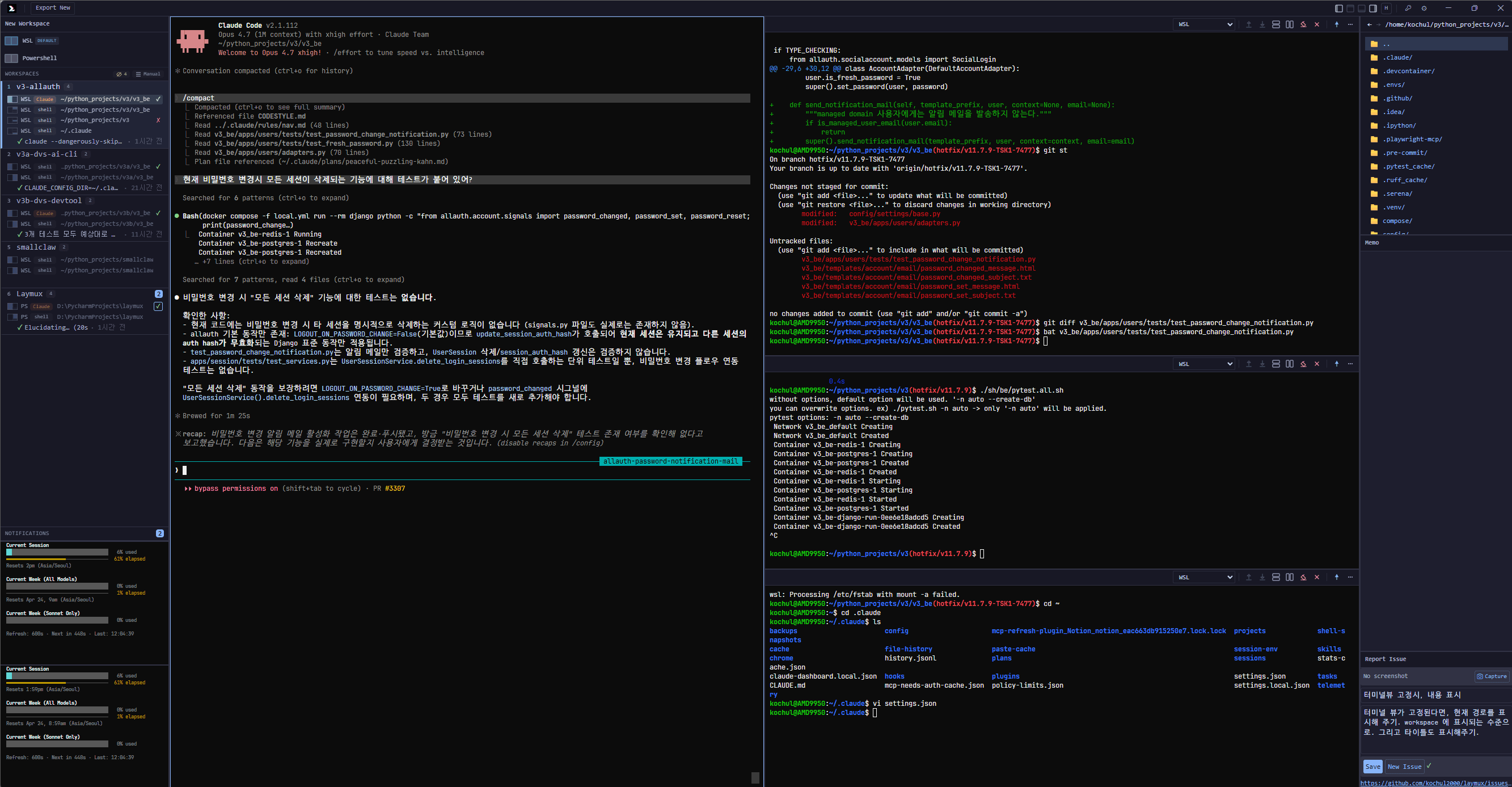
Remote the grid. Let agents drive it.
Windows terminal work has different constraints. Laymux treats them as core.
WSL context, long-running AI agents, and CJK input methods all stress normal terminal UIs. Laymux is designed around those constraints from the start — then exposes the same grid to agents and to a phone.
Stay a terminal. Open the path. Leave agent work to the agent.
Keep terminals, agents, and workspace state in one focused surface.
- 01
Create a workspace from a terminal-first pane layout, with four docks that survive workspace switches.
- 02
Treat each pane's CWD as the unit. SyncGroup can propagate directory and git branch; set it to none to opt out.
- 03
Open a path for agents — REST + MCP + lx — without taking over their orchestration.
The desktop owns the grid. The phone is a thin, encrypted window into it.
The Android app is a signed hybrid client. Pairing, biometrics, and transport live in native code. The remote UI itself is served by the PC, so you do not get a second, drifting copy of the IDE.
Android APKLet agents operate the IDE, not just the shell.
Laymux does not orchestrate those agents. A local allowlisted API opens the path: panes, commands, output, screenshots, files, notifications. Release MCP exposes 37 tools; Resources push workspace and terminal state without polling. The loop stays with Claude, Codex, and Grok.
curl http://localhost:19280/api/v1/workspaces
curl -X POST http://localhost:19280/api/v1/terminals/{id}/write \
  -H "Content-Type: application/json" \
  -d '{"input":"npm test\n"}'

// Claude / Codex / Grok MCP
http://localhost:19280/mcp

// Resources
workspace://active
Windows, Linux, and Android. Same release.
GitHub ships the desktop installers and the Android APK together. The homepage always points at the latest tag.